

Best Canva Templates for Small Businesses
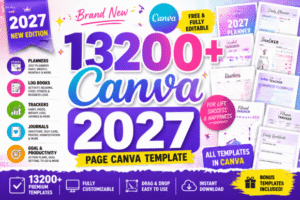
Running a small business means wearing many different hats. One day you are working on your products, the next you are creating social media posts, preparing a presentation, or designing promotional materials.
Professional design can make a big difference, but not every business has the time or budget to hire a designer for every task.
That is where Canva templates can help.
Canva templates provide ready-made layouts that you can customize with your own text, colors, images, and branding. They can help small business owners create consistent visual content without starting every design from scratch.
In this guide, we will explore the most useful types of Canva templates for small businesses, how to choose the right ones, and how to use them effectively.
Why Canva Templates Are Useful for Small Businesses
A consistent visual identity helps customers recognize your business across different platforms. However, creating every design individually can take valuable time.
Templates give you a starting point and make it easier to maintain a recognizable style.
Here are some of their main benefits:
- Save time: Start with an existing layout instead of creating everything from scratch.
- Maintain consistency: Use similar colors, fonts, and design elements across your marketing materials.
- Create content independently: Prepare many everyday business graphics without needing advanced design skills.
- Adapt designs to different platforms: Customize layouts for social media, presentations, flyers, and other materials.
- Experiment with ideas: Test different visual styles before settling on a final brand identity.
Templates are especially useful for businesses that need to publish content regularly or frequently update their promotional materials.
1. Social Media Templates
Social media is an important communication channel for many small businesses. Restaurants, online shops, coaches, freelancers, and service providers often need to publish content several times a week.
Social media templates make it easier to prepare visually consistent posts.
Useful template types include:
- Instagram posts and carousel layouts
- Instagram Stories
- Promotional announcements
- Product showcases
- Customer testimonials
- Educational posts and tips
- Sale and seasonal campaign graphics
When choosing social media templates, look for layouts that can accommodate your brand colors, logo, photography, and typical message length.
A simple collection of reusable layouts is often more practical than dozens of unrelated designs.
2. Branding and Brand Kit Templates
A recognizable brand is built through more than a logo. Colors, typography, imagery, and layout choices all contribute to the impression a business creates.
Branding templates can help organize these elements into a consistent visual system.
Depending on your needs, you might look for:
- Brand board templates
- Color palette presentations
- Typography guides
- Logo presentation layouts
- Business card designs
- Brand guidelines documents
- Mood boards
These resources can be particularly helpful when launching a new business or refreshing an existing brand.
Remember that a template is a starting point. Customize it carefully so that your final branding reflects your business rather than looking identical to other brands using the same design.
3. Presentation Templates
Presentations are useful for pitching services, introducing products, explaining an offer, or communicating a business plan.
A well-structured template can help you organize information and present it more clearly.
Consider presentation templates for:
- Business proposals
- Service presentations
- Company introductions
- Marketing strategies
- Project proposals
- Training materials
- Portfolio presentations
Look for readable typography, clear section headings, and layouts that leave enough space for your content.
Avoid choosing a presentation solely because it looks attractive. It should also help your audience understand the information you are communicating.
4. Flyers, Brochures, and Promotional Materials
Not every marketing activity happens online. Local businesses, studios, shops, and independent service providers may also need printed promotional materials.
Canva-style templates can provide a convenient starting point for:
- Promotional flyers
- Event announcements
- Service menus
- Price lists
- Brochures
- Gift certificates
- Business cards
- Product information sheets
Before printing, check the document dimensions, image quality, margins, and any requirements specified by your print provider.
If you use a template for a commercial project, also check its current licensing terms and the permitted uses of any included assets.
5. Content Calendars and Marketing Planners
Creating content consistently can be challenging when you are managing a business at the same time.
Planning templates can help you organize upcoming posts, campaigns, and promotional activities.
Useful formats include:
- Monthly content calendars
- Weekly planning sheets
- Campaign planners
- Social media post trackers
- Content idea lists
- Marketing checklists
- Editorial calendars
You can use a planner to map out product launches, seasonal promotions, educational posts, and customer stories.
The best planning system is one you can maintain. A simple weekly calendar may be more useful than a complicated planner that takes too much time to manage.
6. Product Catalogs and Price Lists
Businesses that offer multiple products or services often need a clear way to communicate their options.
A catalog or price list can help potential customers understand what is available and compare different offerings.
Look for templates designed for:
- Product catalogs
- Service menus
- Photography packages
- Beauty and wellness services
- Digital product collections
- Wholesale product sheets
- Pricing guides
Keep the layout easy to scan. Use clear headings, accurate descriptions, readable prices, and consistent product photography.
If your prices or services change frequently, choose a format that is easy to update.
How to Choose the Right Canva Templates
With so many design styles available, choosing a template can become another time-consuming task.
Use these questions to narrow your options.
What do you need the template to accomplish?
Start with the purpose. A social media post, a business proposal, and a printed flyer require different layouts.
Does it fit your brand?
Look for designs that can be adapted to your colors, fonts, logo, and photography. You do not need to find a perfect match immediately, but the template should be flexible enough to support your visual identity.
Is it easy to customize?
Check whether the layout has enough space for your actual content. A beautiful template may be impractical if your text is too long or your product images do not fit.
Can you use it for your intended purpose?
Review the current licensing terms and any restrictions that apply to the template and its individual assets. Do not assume that every design or included element can be redistributed or resold.
Will you use it more than once?
Reusable layouts can be especially valuable for businesses that publish frequently. A small, well-organized template collection can save more time than a large folder of designs you never use.
Where to Find Inspiration for Business Designs
Canva is one option for creating and customizing visual content. You can also explore design resources, typography collections, graphics, and illustrations to develop a more distinctive visual style.
Creative marketplaces such as Creative Fabrica may offer resources that can complement your projects, depending on the product and its license.
For more inspiration, explore these CreativeBlog topics:
- Fonts: Find typography ideas for branding and marketing materials.
- Graphics & Clipart: Explore illustrations and decorative elements for your designs.
- Printables & Templates: Discover ideas for planners, stationery, and printable business resources.
- Creative Business Ideas: Explore ways to organize and develop a creative business.
Always check the original product page for current details, available formats, and licensing terms before using a resource.
Final Thoughts
The best Canva templates for small businesses are the ones that solve real problems.
They should help you communicate clearly, maintain a consistent visual identity, and spend less time on repetitive design tasks.
Start with the materials your business needs most often. You might begin with social media posts, a simple brand board, and a presentation template. As your business grows, you can add catalogs, promotional materials, and content planners.
You do not need to create everything at once. Choose useful tools, adapt them to your brand, and build a visual system that works for your business.
At CreativeBlog, our goal is to help you discover ideas and resources that make the creative process easier — so you can spend more time turning those ideas into something real.
Find your inspiration. Bring your ideas to life.
