

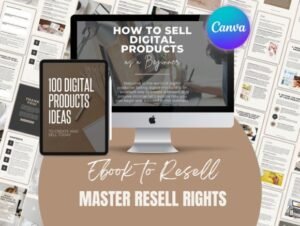
Digital Products You Can Create at Home
Have you ever thought about turning your creativity into something useful that people can download and use?
You do not necessarily need a large workshop, expensive equipment, or a physical inventory to start creating digital products. With a computer, the right tools, and a good idea, you can begin making designs, templates, and other digital resources from home.
Digital products come in many forms. Some help people organize their daily lives, while others support businesses, designers, students, and creative hobbyists.
In this guide, we will explore digital product ideas you can create at home, the tools that can help you get started, and practical steps for developing your first product.
What Are Digital Products?
Digital products are items that customers can access electronically rather than receiving as physical goods. Depending on the product, they may download a file, access a template, or use a digital resource online.
Examples include printable planners, social media templates, digital illustrations, educational worksheets, and design assets.
One advantage of digital products is that a finished file can often be delivered to multiple customers without producing a new physical item for every order. However, you still need to invest time in design, quality control, customer support, marketing, and updates.
The best product to create is usually one that solves a specific problem for a clearly defined audience.
1. Printable Planners and Organizers
Printable planners are a useful starting point for people who enjoy organizing information and designing practical layouts.
You could create:
- Daily and weekly planners
- Monthly calendars
- Habit trackers
- Budget worksheets
- Meal planners
- To-do lists
- Goal-setting worksheets
- Study planners
For example, a weekly planner designed for freelancers might include sections for client projects, deadlines, invoices, and priorities.
That is more specific than creating a generic planner for everyone.
You can design printable pages using Canva or another layout tool, then export them as PDFs. Before offering them for sale, check that the document dimensions, margins, typography, and print quality are suitable for your intended audience.
Creative tip: Start with a small, consistent collection of five to ten related pages rather than trying to create a huge planner immediately.
2. Canva Templates for Social Media
Businesses, creators, and freelancers often need fresh visual content for their social media accounts.
Editable templates can help them prepare content more efficiently while maintaining a consistent visual style.
Possible products include:
- Instagram post templates
- Instagram Story layouts
- Pinterest pin templates
- Carousel post designs
- Quote and educational post templates
- Product announcement graphics
- Content planning templates
Instead of creating a collection of unrelated layouts, consider designing a complete pack for a particular audience.
For example, a set of social media templates for a small bakery could include product announcements, seasonal promotions, menu updates, and customer testimonials.
Canva can be a convenient tool for creating these designs. Make sure you understand the applicable Canva licensing terms and the rules governing any included fonts, graphics, photographs, and other assets.
If you sell editable templates, explain what the buyer receives and how the template can be accessed or customized.
3. Digital Illustrations and Clipart
Digital illustrations and clipart can be used in invitations, educational materials, presentations, social media graphics, and many other creative projects.
Ideas include:
- Floral illustrations
- Seasonal graphics
- Hand-drawn decorative elements
- Business icons
- Watercolor-style artwork
- Themed illustration collections
- Stickers for digital planners
You can create original illustrations using suitable drawing software or a graphics tablet. You can also develop your own visual style through traditional drawing and digitization.
A themed collection can be more useful than a random assortment of images. For example, a collection of original botanical illustrations could serve stationery designers, bloggers, and people creating wedding invitations.
Pay attention to file quality, transparent backgrounds where appropriate, consistent visual style, and clear documentation of permitted uses.
Never assume that purchasing a graphic or downloading it from a marketplace automatically gives you the right to resell the original file or include it in a competing digital asset collection.
4. Fonts and Typography Resources
Typography plays an important role in branding, editorial design, invitations, packaging, and digital content.
If you have the relevant design skills, you could develop original font families or create educational resources that help people choose and use typography.
Possible products include:
- Original typefaces
- Font pairing guides
- Typography workbooks
- Brand typography guides
- Lettering practice sheets
- Font selection worksheets
- Typography presentation templates
Creating a complete font requires more specialized knowledge than making a simple printable. You need to consider character design, spacing, kerning, technical formats, testing, and licensing.
If you are starting out, a typography guide or font pairing workbook may be a more manageable first project.
You can also create original educational content that demonstrates how different font styles work together.
When recommending fonts from third-party marketplaces, direct readers to the original product pages and encourage them to review the license before using a font commercially.
5. SVG Files and Craft Designs
SVG files are commonly used for scalable graphics and cutting-machine projects. Depending on the software and equipment, they can support projects such as vinyl lettering, paper crafts, personalized gifts, and decorative signs.
Possible digital products include:
- Original monograms
- Decorative lettering
- Seasonal craft designs
- Greeting card cut files
- Simple geometric patterns
- Personalized gift designs
- Original layered paper projects
When preparing SVG files, make sure the paths are clean, the design is properly grouped, and the file behaves as expected in the software you intend to support.
Consider including a short instruction sheet that explains the file contents and any known compatibility requirements.
Do not promise compatibility with every cutting machine or software package unless you have tested it.
6. Digital Worksheets and Educational Resources
Educational resources can help teachers, parents, students, and professionals organize information or learn a particular skill.
Depending on your expertise, you could create:
- Study planners
- Vocabulary worksheets
- Handwriting practice pages
- Educational activity sheets
- Checklists
- Training workbooks
- Step-by-step guides
- Printable reference sheets
A good educational product has a clear purpose and an appropriate level of difficulty.
For example, a beginner’s workbook for learning basic typography could contain short explanations, visual examples, exercises, and space for notes.
Before publishing educational materials, check that the information is accurate, the instructions are understandable, and any images or fonts are appropriately licensed.
7. Ebooks and Practical Guides
An ebook does not need to be hundreds of pages long. A focused guide that solves one particular problem can be valuable to the right audience.
Possible topics include:
- A beginner’s guide to visual branding
- How to plan a month of social media content
- A guide to choosing fonts for business materials
- A beginner’s introduction to printable design
- A practical checklist for launching a small online shop
- A guide to organizing creative projects
Start with a topic you understand well. Organize the material into logical sections, provide practical examples, and make the final document easy to read on a screen.
PDF is often a suitable format for fixed-layout guides. Other formats may be appropriate depending on how readers will use the content.
Avoid creating an ebook that simply repeats information available elsewhere. Your own examples, clear explanations, and useful worksheets can make the resource more valuable.
8. Presentation and Business Templates
Small businesses and independent professionals regularly need presentations, proposals, price lists, and other communication materials.
You could develop templates for:
- Business proposals
- Service presentations
- Portfolio layouts
- Price lists
- Media kits
- Project briefs
- Client onboarding documents
- Brand guideline presentations
Choose a specific audience and design around its needs.
For example, a presentation template for freelance designers may need sections for the project brief, creative direction, proposed deliverables, timeline, and pricing.
Make sure text remains readable, layouts are easy to edit, and placeholder content clearly indicates what the customer should replace.
9. Digital Stickers and Journaling Resources
Digital stickers and journaling elements can be used in compatible digital planning and note-taking applications.
Product ideas include:
- Digital planner stickers
- Decorative labels
- Calendar icons
- Digital washi tape
- Mood trackers
- Journal page elements
- Seasonal sticker collections
A consistent visual style helps a collection feel cohesive. You might build a theme around productivity, travel, reading, gardening, or personal finance.
Check that the files are exported in suitable formats and that the product description explains which applications and workflows have been tested.
How to Choose Your First Digital Product
With so many possibilities, it can be tempting to create several products at once. A better approach is to start with one idea and test whether it meets a real need.
Step 1: Choose a specific audience
Think about who you want to help. It could be small business owners, teachers, designers, students, content creators, or people who enjoy crafting.
A clear audience makes it easier to decide what to create and how to describe it.
Step 2: Identify a problem
Look for a task people regularly struggle with.
Perhaps a small business owner needs consistent promotional graphics, a teacher needs printable worksheets, or a crafter needs a well-organized set of cutting files.
Your product should make that task easier in a clear and practical way.
Step 3: Research existing options
Explore marketplaces, search results, and discussions relevant to your audience.
Look for common features, recurring questions, missing information, and opportunities to improve usability.
Research is not about copying existing products. It is about understanding what customers need and developing your own original solution.
Step 4: Create a small first version
Build a focused product that demonstrates the idea. Test the files, check the layout, and make sure the instructions are clear.
If appropriate, ask a few people from your target audience to try it and provide feedback.
Step 5: Choose where to offer it
Depending on your product and business model, you could sell through a digital marketplace or your own website.
Compare platform fees, delivery options, payment processing, customer support requirements, and applicable licensing or seller rules before deciding.
Step 6: Create useful supporting content
A blog article, tutorial, demonstration, or example project can help potential customers understand how your product works.
For instance, if you create a printable budget planner, you could publish a guide explaining how to organize a monthly budget. The article provides value on its own while introducing the product naturally.
Tools That Can Help You Get Started
You do not need to buy every available design tool. Start with a small set of applications suited to your chosen product.
- Canva: Useful for many layouts, social media graphics, presentations, and simple printable designs.
- Vector graphics software: Helpful for creating and editing SVG files, icons, and scalable illustrations.
- Image editing software: Useful for preparing photographs, textures, and raster graphics.
- Font creation software: Relevant if you plan to design original typefaces.
- PDF tools: Helpful for checking and preparing printable documents and guides.
Choose tools based on the actual requirements of your product. Free and paid options vary in functionality, export formats, and licensing conditions.
How to Make Your Digital Products Easier to Discover
Creating a useful product is only one part of the process. People also need to find it.
Consider these practical steps:
- Use clear product titles that explain what the resource does.
- Write original descriptions focused on customer needs.
- Include accurate previews that show what buyers will receive.
- Explain file formats, dimensions, and compatibility.
- Publish helpful articles related to the problems your products solve.
- Use relevant internal links to connect tutorials, guides, and collections.
- Share useful examples through appropriate social media channels.
- Review customer questions and improve your products over time.
Search engine visibility and sales are not guaranteed. They depend on factors such as demand, competition, product quality, pricing, presentation, and marketing.
Final Thoughts
Creating digital products at home can be a practical way to develop your creative skills and explore a potential business idea.
You could start with a printable planner, a small collection of social media templates, an original illustration pack, or a focused educational guide.
The most important thing is to avoid trying to create everything at once.
Choose one audience, identify one useful problem, and build a product that solves it well. Then learn from feedback and improve your work.
At CreativeBlog, we believe that a good idea becomes more useful when you can find the right tools and know how to put them into practice.
Start with one idea. Create something useful. Build from there.
CreativeBlog — Find Your Inspiration. Bring Your Ideas to Life.
